|
|
|
Why Choose GoSupportNow |
|
|
|
1. Low
start-up costs, incremental pricing & easy to
change subscriptions to save money
GoSupportNow pricing starts one support seat at only $19.95/month. You can
purchase additional capacity at only
$9.95/seat per month. You can temporarily increase capacity
for one or a few days, and then reduce capacity to save
money.
2.
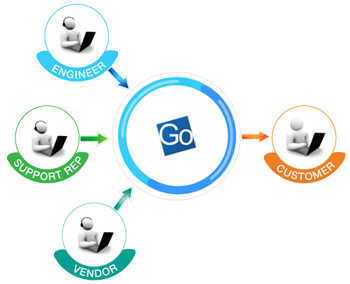
Collaborative support and knowledge sharing GoSupportNow allows up to 10 participants in
one support session. This turns a remote support
session into a fully interactive web
conferencing session, which dramatically
facilitates the speed of collectively resolving
the most difficult issues. |
Typical use cases
include:
- Support cases requiring third parties
involved, for example, a software vendor
such as Microsoft
- Support cases requiring senior support
staff or managers
- Support cases requiring engineers to
debug in real-time
- Training junior support staff using the
real-world support cases
3.
In-session
customer training The support agent can change to the online
training mode anytime during a support session.
Many support issues come from customers' lack of
product knowledge. An instant training session
helps to prevent many issues from happening in
the future and saves in support costs. In
addition, this improves customer satisfaction
and increases up-selling opportunities because your customer has a
better appreciation of those product functions
that they have not known or not known well
enough. With this function, you actually turn
your most knowledgeable & highly paid support
staff into powerful sales staff. |
Collaborative Support |
|
|
|
|
4.
Guaranteed connection
Many organizations either lockdown their
employee desktops so that the employees cannot
install any software, or block unwanted Internet
connection to comply with their most restrictive
firewall policy. Because of those strong
security measures, you may not be able to
connect to users’ desktops using competing
remote support products. GoSupportNow has
resolved the most difficult connection related
issues at three levels:
- Level1 - Working with lockdown computers
- Level2 - Traversing the most
restrictive firewalls
- Level3 - Guaranteed connection for
view-only assistance
If GoSupportNow attendee's fail to
attend your support using the view-only
connection,
contact us for
refund.

If GoSupportNow attendee's fail to
attend your support using the view-only
connection,
contact us for
refund. |
 |
5. Solid technology used by over 1,000,000
users at leading global organizations
The RHUB's TurboMeeting technology, which
supports GoSupportNow, has been used by over
1,000,000 users worldwide since 2005. It has
been embedded into products from Hitachi, Zultys,
Central Desktop, Huddle and other enterprise and
service providers.
Featured customers include:
|
|
|
|
|
|
|
|
6. You can own GoSupportNow's technology
for in-house deployment The GoSupportNow service is offered by
RHUB
Communications, which is a premier provider of
web conferencing, remote support and remote
access appliances that meet the needs of service
providers and any organization. GoSupportNow
addresses the needs of those customers who
prefer hosted services and may not be ready for
on-premise appliance deployment. Once your
real-time collaboration needs grow beyond
remote support and your solution requires
customization and integration, you should
consider deploying an RHUB appliance, which uses
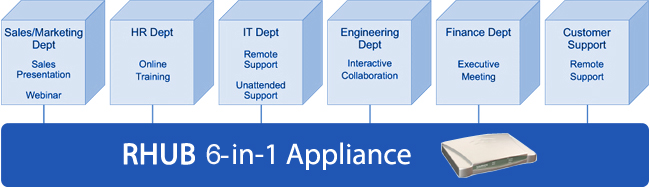
the same technology as GoSupportNow. RHUB
appliances bundle six different real-time
collaboration applications into one package:
|
|
- Web conferencing – give sales
presentations, product demos, and collaborate
interactively
- Remote Support – support PC and Mac
users remotely
- Audio Conferencing – VoIP based audio
conferencing & free landline audio conferencing services
- Video Conferencing – Multi-point webcam based
video conferencing
- Remote Access – access your office or
home PCs from anywhere anytime
- Web Seminar – provide online seminars
without download of any kind for view-only
attendees
The RHUB appliance provides the most flexibility
and functions for your collaboration needs now
and in the future:
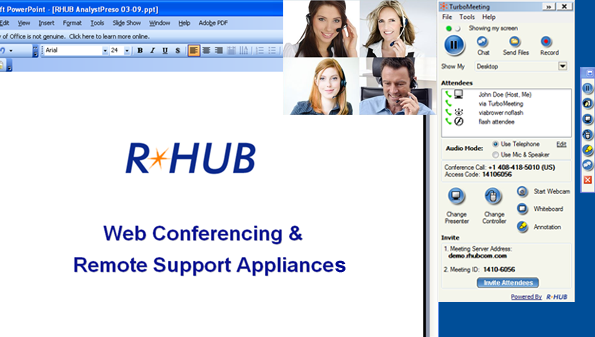
In addition, it offers multi-point video
conferencing: |
|
|
 |
|
|
|